Transcripto

Audio, video and YouTube into text.

Record in the app, import a file or paste a YouTube link. Then choose cloud transcription or keep the audio on your phone with Whisper.

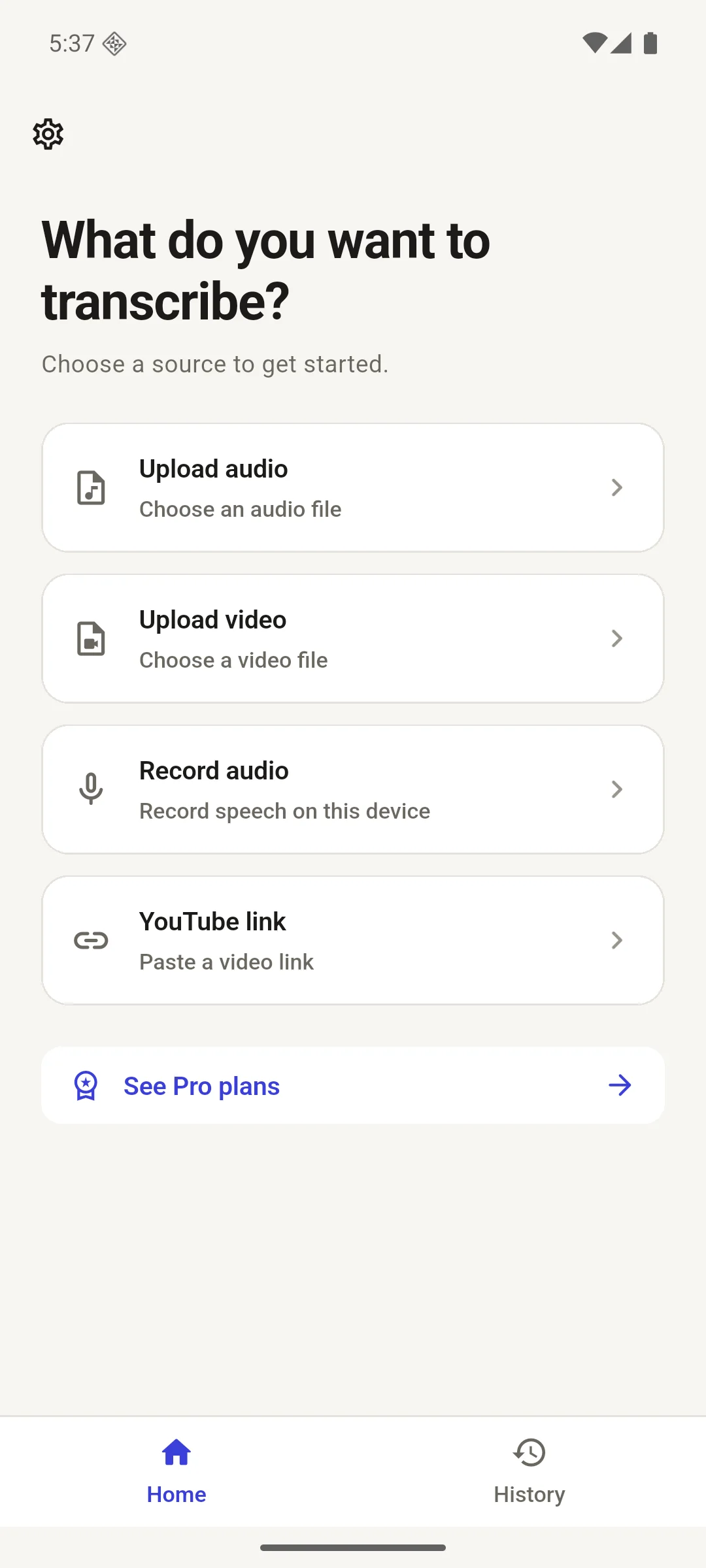
Transcripto home screen with options to upload audio, upload video, record audio or paste a YouTube link
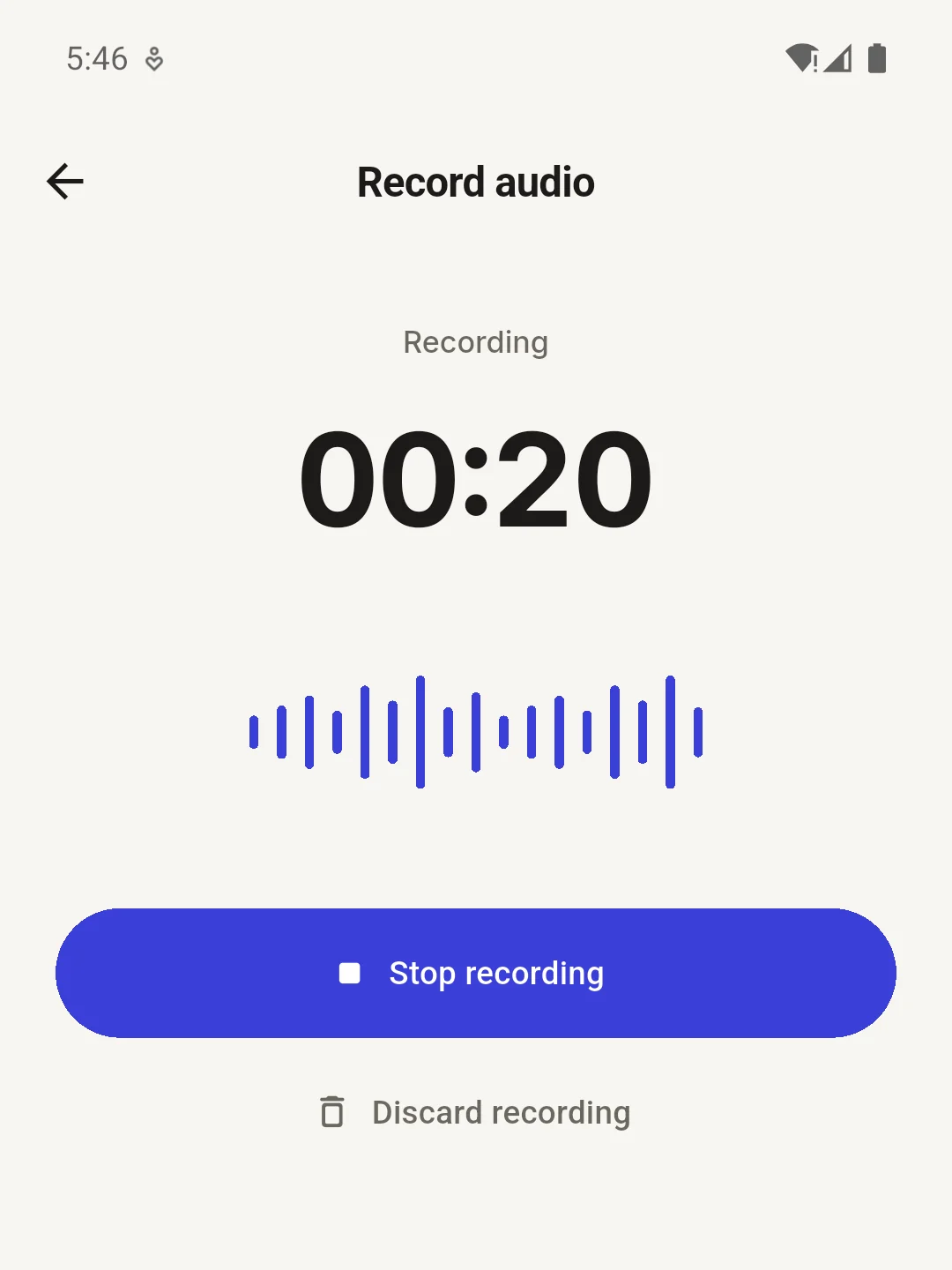
Transcripto recording screen with a timer, a live waveform and a stop recording button

Start with what you have

  • Record here

    Capture audio in the app with a live waveform.

  • Import a file

    Choose an audio or video file from your device.

  • Paste a link

    Add a YouTube link to turn its audio into text.

From first word to finished transcript

  • Record with a live waveform

    Start a recording in Transcripto and follow the live waveform as you speak.

  • Audio and video files

    Import a file from your phone and turn its speech into a transcript.

  • YouTube links

    Paste a YouTube link to transcribe the audio from the video.

  • One-tap engine choice

    Pick Cloud, On-Device or Auto. Auto selects an engine for you.

  • Read and replay

    Review timestamped sentences, play the audio from the result screen and return to past transcripts in history.

  • Export your way

    Save subtitles as SRT or VTT, or export plain TXT and PDF.

Two engines. Choose what fits.

Cloud

Send audio for fast, high-accuracy transcription with Deepgram Nova-3.

  • Audio is uploaded to Winkle’s transcription service, then forwarded to Deepgram for processing.
  • Use your available cloud minutes for transcription.

Cloud processing requires an internet connection.
On-Device

Run OpenAI Whisper locally on your phone, including when you are offline.

  • Download the model once, then transcribe on your device.
  • Your audio never leaves your phone when you use this engine.

The model download requires an internet connection.

See it in the app

  • Record in the app

    A recording screen with a timer, a live waveform, and buttons to stop or discard the recording.

    Transcripto recording screen showing a 00:20 timer, a live waveform and a stop recording button
  • Choose an engine

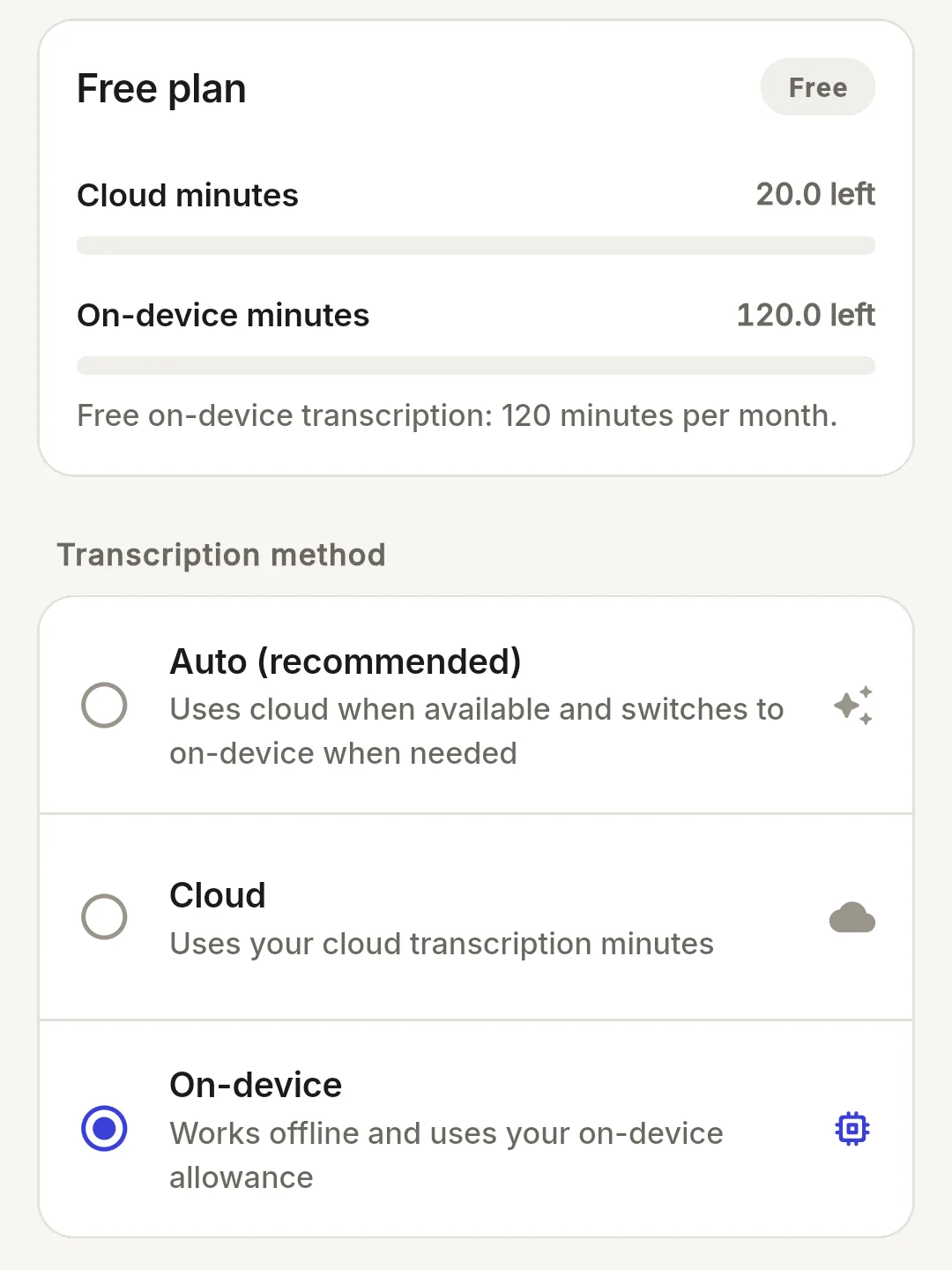
    Your plan and minutes sit above the transcription method, where you pick Auto, Cloud or On-device.

    Transcripto settings showing the Free plan with cloud and on-device minutes left, and the Transcription method list
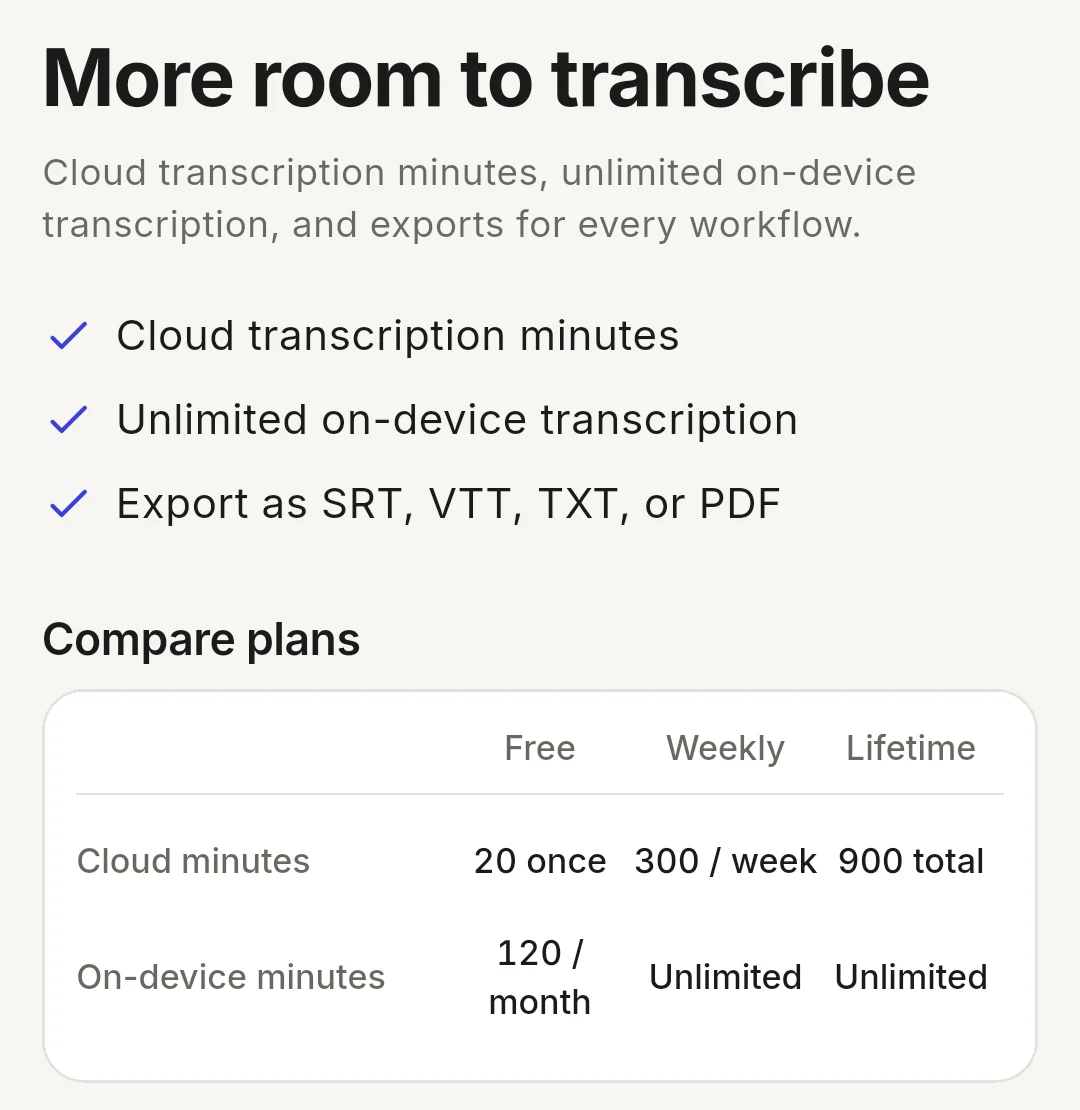
  • Plans and quotas

    Free, Weekly and Lifetime compared side by side, with cloud minutes and on-device minutes for each.

    Transcripto Pro comparison table of Free, Weekly and Lifetime plans with cloud and on-device minutes

From source to text

  1. Choose a source

    Record in the app, import an audio or video file, or paste a YouTube link.

  2. Choose an engine

    Use Cloud, On-Device or Auto. Download the Whisper model once before using On-Device transcription.

  3. Review and export

    Read timestamped segments, play the source audio, find earlier transcripts in history or export SRT, VTT, TXT or PDF.

Your transcript stays on your device

There is no account or sign-up. Transcripts and settings are stored on your device. Audio is uploaded to Winkle’s transcription service only when you use Cloud, which forwards audio to Deepgram for processing. On-Device transcription never uploads audio.

Plans with minutes included

Free

20 cloud minutes

One-time trial, plus 120 minutes of On-Device transcription each month.

Weekly Pro

300 cloud minutes / week

Plus unlimited On-Device transcription.

Lifetime

900 cloud minutes

One-time cloud allowance, plus unlimited On-Device transcription.

See the in-app plans for current details. Purchases are handled by Apple or Google.

Questions, answered

What can I transcribe?

Record audio in the app, import an audio or video file, or paste a YouTube link.

Does transcription work offline?

Yes. Download the On-Device Whisper model once, then use the On-Device engine offline. It does not upload your audio.

What is the difference between Cloud and On-Device?

Cloud sends audio to Winkle’s transcription service, which forwards it to Deepgram Nova-3. On-Device runs OpenAI Whisper locally on your phone. Auto picks an engine for you.

What export formats are available?

Export subtitles as SRT or VTT, or export plain text as TXT or PDF.

Do I need an account?

No. Transcripto does not require an account or sign-up.

Where do I see the plan details?

See the in-app plans. Purchases are processed by Apple or Google.

Turn your next recording into text.

Get it on Android and iPhone.